
Download Microsoft Office 2024 – AI‑powered productivity suite for Windows, Mac, Android & iOS
Microsoft Office 2024 is the latest perpetual‑license edition of the world’s most trusted office productivity suite. Built on a foundation that has served businesses, schools, and individual creators for decades, this release adds a powerful layer of artificial‑intelligence across its core applications—Word, Excel, PowerPoint, Outlook, and Teams. Whether you are drafting a research paper, analyzing a sales dataset, designing a dynamic presentation, or coordinating a remote project, Office 2024 delivers the familiar Ribbon interface while silently working in the background to boost accuracy, speed, and creativity.
The AI‑driven Copilot assistant now sits inside Word, offering contextual suggestions, grammar enhancements, and even full paragraph generation based on brief prompts. Excel’s Data Insights feature can automatically spot trends, generate charts, and propose pivot‑table structures without a single formula typed. PowerPoint’s Presenter Coach now analyses your pacing, tone, and body language, delivering real‑time feedback that turns a good deck into a compelling story.
Outlook’s smart calendar suggests optimal meeting times by scanning participant availability, while Teams integration lets you launch a video call directly from any document, eliminating the need to toggle between apps. In short, Microsoft Office 2024 keeps the essential tools you already love, upgrades them with AI that feels like a natural extension of your workflow, and does so on a secure, perpetual‑license model that protects your investment for years to come.
Key Features That Redefine Office Productivity
- Copilot AI in Word: Real‑time writing assistance, style recommendations, and content generation powered by large language models.
- Excel Data Insights: Automatic analysis that creates charts, graphs, and pivot tables based on raw data patterns.
- PowerPoint Presenter Coach 2.0: AI evaluates pacing, filler words, and body language, offering actionable suggestions during rehearsals.
- Outlook Smart Calendar: AI‑driven meeting‑time suggestions that consider participants’ time zones and preferences.
- Teams Deep Integration: Start or join video calls directly from Word, Excel, or PowerPoint without leaving the document.
- Enhanced Video Embedding: One‑click insertion of YouTube, Vimeo, or Stream videos into PowerPoint with automatic resizing.
- Focused Inbox & Clutter Reduction: Machine‑learning filters prioritize important emails and mute low‑priority chatter.
- OneDrive Cloud Sync: Seamless file storage and sharing across all apps with real‑time collaboration.
- Cross‑Platform Consistency: Identical feature set and UI on Windows 10/11, macOS 13+, iOS 13+, and Android 8+.
- Security & Compliance: Built‑in data loss prevention, multi‑factor authentication, and regular security patches.
Step‑by‑Step Installation & First‑Time Usage Guide
Installing Microsoft Office 2024 is straightforward, whether you’re on a desktop computer or a mobile device. Follow these steps to get the suite up and running in under ten minutes:
- Visit the official download portal: Navigate to Microsoft.com/office2024 and click the “Download Now” button. The site automatically detects your operating system and offers the appropriate installer.
- Create or sign in to your Microsoft account: A valid account is required to activate the perpetual license. If you don’t have one, you can create it for free during the installation process.
- Run the installer: On Windows, launch the
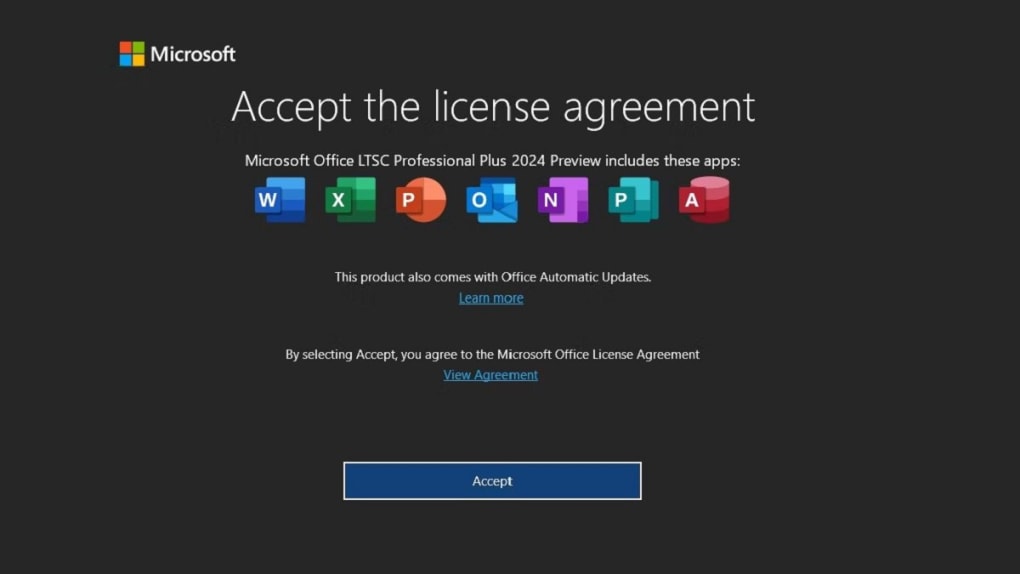
OfficeSetup.exefile; on macOS, open theMicrosoft_Office_2024.pkg. Mobile users will be redirected to the App Store (iOS) or Google Play Store (Android) to download the individual apps. - Accept the license agreement: Read through the terms, then click “Accept” to proceed.
- Choose your installation type: You can install the full suite (Word, Excel, PowerPoint, Outlook, Teams, OneNote) or select specific apps to save disk space. For most users, the default “Full Installation” is recommended.
- Complete the installation: The installer downloads the necessary files, which may take a few minutes depending on your internet speed. Once finished, a confirmation screen appears.
- Activate your license: Open any Office app, sign in with the Microsoft account used during purchase, and the software will automatically validate your perpetual license.
- Configure initial preferences: Upon first launch, each app walks you through a brief setup wizard—choose your default save location (OneDrive or local), language, and whether you want to enable AI features like Copilot.
- Start creating: With the suite activated, you can begin drafting documents, building spreadsheets, or designing presentations. The AI assistants are available immediately, offering suggestions as you type, enter data, or design slides.
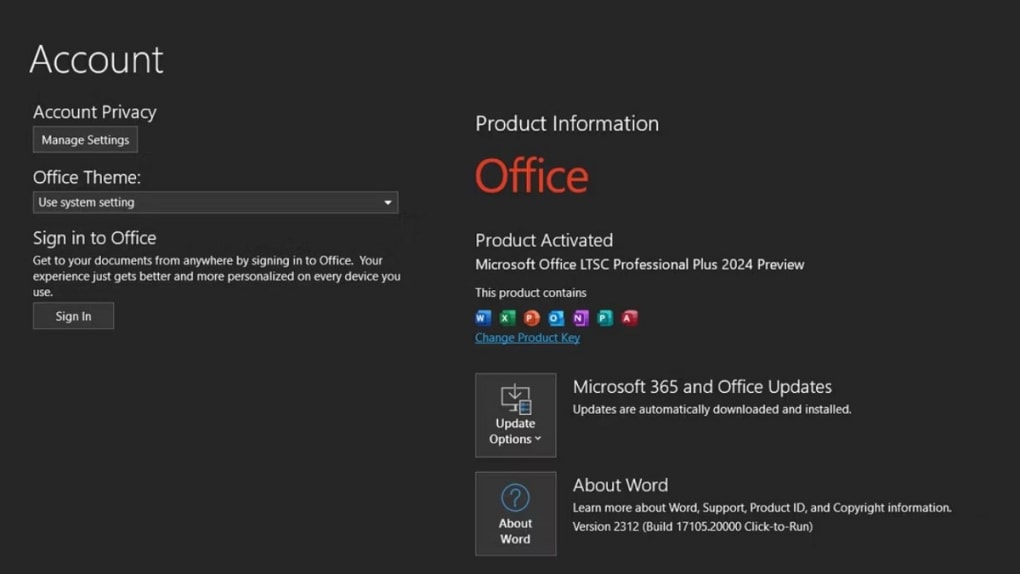
For ongoing use, keep the suite up to date by allowing automatic updates in the “Account” section of any Office app. These updates include security patches, performance improvements, and occasional new AI capabilities, all delivered at no additional cost under the perpetual‑license agreement.
Compatibility, System Requirements & Platform Support
Microsoft Office 2024 is engineered to run natively on the most recent desktop and mobile operating systems, ensuring a consistent experience across devices. The supported platforms are:
- Windows: Windows 10 (Version 1903) or later, including Windows 11. Requires a 64‑bit processor for optimal performance.
- macOS: macOS 13 Ventura or later. The suite runs on both Intel‑based and Apple‑silicon (M1/M2) Macs, with native Rosetta 2 translation for legacy Intel binaries.
- iOS: iOS 13 or later on iPhone and iPad. All core apps are optimized for touch input and Apple Pencil where applicable.
- Android: Android 8.0 Oreo or later on tablets and phones. The Android versions of Word, Excel, PowerPoint, and Outlook support AI features when connected to the internet.
Minimum hardware specifications for a smooth experience are modest:
- Processor: 1.6 GHz or faster, dual‑core (or Apple M1 chip for macOS).
- Memory: 4 GB RAM (8 GB recommended for heavy data analysis in Excel).
- Storage: 4 GB of free disk space for the core suite; additional space required for document caches and OneDrive sync.
- Graphics: DirectX 9 or later with WDDM 2.0 driver on Windows; Metal‑compatible GPU on macOS.
- Display: Minimum resolution of 1280 × 768 pixels; higher resolutions recommended for detailed spreadsheet work.
Because Office 2024 is a perpetual‑license product, you retain full functionality even when offline, though AI‑driven features such as Copilot require an internet connection to access cloud‑based models. The suite also integrates tightly with OneDrive, allowing you to keep files synchronized across all devices automatically.
Pros and Cons of Microsoft Office 2024
Pros
- AI‑enhanced productivity across all core apps (Copilot, Data Insights, Presenter Coach).
- Perpetual license eliminates recurring subscription fees.
- Cross‑platform compatibility ensures a uniform experience on Windows, macOS, iOS, and Android.
- Robust security features, including multi‑factor authentication and regular security patches.
- Deep integration with OneDrive and Teams for seamless collaboration.
- Familiar Ribbon UI reduces the learning curve for existing Office users.
- Extensive template library and built‑in design tools for quick document creation.
- Highly optimized performance on both Intel and Apple‑silicon hardware.
Cons
- AI features require an internet connection and may consume additional bandwidth.
- The initial purchase price is higher than some subscription‑only alternatives.
- Older hardware (pre‑2015 PCs) may experience slower load times with AI components enabled.
- Full feature set is not available on the free mobile versions; premium AI tools require the desktop license.
- Complex licensing terms for enterprise volume purchases can be confusing for small businesses.
Frequently Asked Questions
Is Microsoft Office 2024 a one‑time purchase or a subscription?
Microsoft Office 2024 is sold under a perpetual‑license model, meaning you pay once and own the software indefinitely. You receive free security updates and optional feature upgrades, but major new versions (e.g., Office 2025) would require a separate purchase.
Do I need an internet connection to use the AI features?
Yes. Copilot in Word, Data Insights in Excel, and Presenter Coach in PowerPoint rely on cloud‑based AI models, so an active internet connection is required for those specific functionalities. Core editing, formatting, and offline work remain fully functional without connectivity.
Can I install Office 2024 on both a Windows PC and a Mac with a single license?
Yes. The perpetual license includes cross‑platform rights, allowing you to install the suite on one Windows device and one macOS device simultaneously. Additional installations require extra licenses.
How does OneDrive integration work with the new suite?
OneDrive is built into each Office app. When you save a document, you can choose OneDrive as the default location, enabling real‑time co‑authoring and automatic version history. Changes sync instantly across all devices linked to the same Microsoft account.
What support options are available if I encounter problems?
Microsoft provides 24/7 online support via chat and phone for licensed users, as well as a comprehensive knowledge base, community forums, and step‑by‑step troubleshooting guides. Enterprise customers also have access to dedicated account managers and priority response times.
Conclusion – Why You Should Download Microsoft Office 2024 Today
Microsoft Office 2024 represents a natural evolution of a suite that has defined professional productivity for over three decades. By marrying the trusted, feature‑rich environment of Word, Excel, PowerPoint, Outlook, and Teams with groundbreaking AI assistants, the new edition empowers users to create faster, analyze smarter, and collaborate more seamlessly than ever before. The perpetual‑license model offers a cost‑effective alternative to subscription‑only plans, delivering long‑term value without recurring fees, while still providing regular security updates and optional AI enhancements. Whether you are a student drafting a thesis, a small business owner managing invoices, or an enterprise team coordinating global projects, Office 2024 equips you with the tools you need to stay competitive in a rapidly changing digital landscape.
Ready to experience the next generation of office productivity? Click here to download Microsoft Office 2024 and unlock AI‑powered features that will transform the way you work. Install it today, activate your perpetual license, and enjoy a secure, high‑performance suite that will support your goals for years to come.







